
Soar AI: Video Generator
SooXTArt & Design
3.597.00 Reviews
- Version
- 1.0.42
- Installs
- 100.00K
- Age Rating
- Everyone
Screenshots




Our Review of Soar AI: Video Generator
 Analysis by Appyee
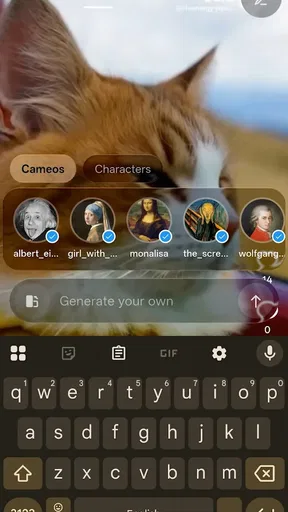
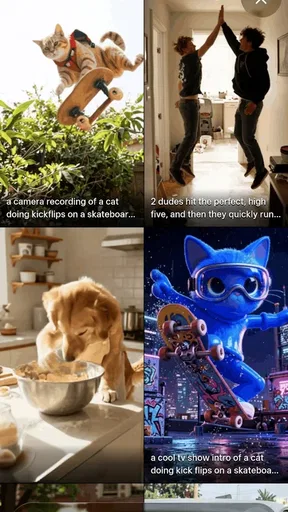
I approached Soar AI: Video Generator as a quick creative tool rather than a full video-editing suite. Its purpose is straightforward: I describe an idea in text, and the app turns that direction into an AI-generated video. That makes it appealing when I have a visual concept but do not have the time, equipment, or editing experience to build a clip from scratch.
The app comes from SooXT and sits in the Art & Design category. It is free to use, carries an Everyone age rating, and has reached more than one hundred thousand installs. Those details make it easy to consider for casual experimentation, school projects, social posts, mood boards, and small creative tasks where the goal is to explore an idea quickly rather than produce a carefully edited film.
My overall impression is mixed in a useful way. The text-first approach lowers the entry barrier, but it does not remove the need for patience and clear thinking. The quality of the result depends heavily on how I describe the scene, and an AI video generator is not a replacement for precise manual control. I found the most value when I treated each prompt as a draft brief, not as a complete production plan.
How the app feels to read and navigate
The strongest accessibility advantage is the basic interaction model. Instead of requiring me to understand timelines, layers, transitions, keyframes, or camera controls, the app starts with language. I can explain what I want in ordinary words and use that description as the foundation for the video. For someone who finds traditional editing interfaces crowded or difficult to learn, this is a meaningful change in how creative work begins.
That simplicity is especially helpful for first-time creators. A person who has never opened a video editor can start with a small idea such as a quiet landscape, a product concept, or an animated scene. The text prompt becomes a planning space as well as an instruction. I can think about the subject, movement, setting, mood, and visual style before dealing with the result.
I would still avoid assuming that a text-based workflow is automatically easy for everyone. Writing a useful prompt requires concentration, vocabulary, and a willingness to revise. If the first result is unclear, I need to identify what went wrong and describe the correction in another prompt. That process can be less obvious than moving an object directly on a conventional canvas.
For readability, short prompts are a sensible starting point. I get more control when I separate the important elements instead of placing a long stream of ideas into one sentence. I might describe the main subject first, then its action, then the environment, followed by the mood and intended framing. This structure helps me notice which part of the request needs changing when the output misses the point.
A useful habit is to keep one creative decision stable while changing another. If I alter the subject, setting, camera feeling, and mood at the same time, it becomes difficult to understand why the next result looks different. Changing only the setting or action gives me a clearer sense of how the app responds to language. This is one of the most practical ways to make the text interface feel less unpredictable.
The app has a current version of 1.0.42 and requires Android 7.0 or later. That broad operating-system requirement should suit many older Android devices, although the experience can still vary with screen size, device performance, and the way a user prefers to interact with an app. I would check the interface personally before recommending it for a workflow that depends on large text, simplified controls, or a particular input method.
Its average rating is 3.5 from around one thousand ratings, with ninety-seven written reviews. I read that middle-ground figure as a reason to set realistic expectations. It suggests that the idea is attractive, but the experience may not be equally satisfying for every project or every user. I would try it with a low-pressure task before making it part of an important creative deadline.
Making prompts easier to follow
For users who find dense instructions tiring, I recommend building a prompt in stages outside the creative rush. I first write the scene in plain language, remove decorative wording, and keep the visual priority obvious. If motion matters, I state the movement directly. If the atmosphere matters more than movement, I make that the central instruction instead of burying it among several competing requests.
This approach also helps users who communicate more comfortably through writing than through manual drawing or timeline editing. A student can describe a visual explanation, a small business owner can outline a concept for a post, and a hobbyist can test an imagined scene without learning a professional editor first. The app’s value is highest when the user already knows what they want to communicate but needs help turning that idea into moving imagery.
There is a trade-off, though. Text can be easier than manipulating a complex interface, but it can also hide the reason a result feels wrong. In a standard editor, I can usually point to the clip, layer, or transition that needs changing. With AI generation, I have to translate that visual problem back into words. That translation is manageable for patient users, but it may frustrate anyone who expects immediate, exact corrections.
Motor, sensory, and situational use
From a motor perspective, a prompt-driven workflow may be more comfortable than repeated dragging, trimming, and precise tapping on a small touchscreen. Users with limited dexterity could prefer describing a scene instead of performing many fine movements. The important qualification is that the app still requires ordinary device interaction to enter text, move through the interface, and review the generated result. I would not present it as a specialized assistive tool, but its central idea can reduce some of the physical effort associated with manual editing.
Voice input through the device may also help people who prefer speaking to typing, provided their phone and keyboard support that method. I see this as a practical possibility rather than a guaranteed app feature. The creative instruction still needs checking afterward because spoken input can introduce wording errors, and a small change in a prompt may lead to a noticeably different visual result.
For users with visual sensitivities, AI-generated motion can be difficult to judge in the same way as any moving-image content. Rapid changes, busy scenes, or unexpected movement may make review tiring. I found it more sensible to begin with calm concepts and inspect each result carefully before sharing it. This is not a claim about a special sensory mode inside the app; it is simply a safer way to approach generated video when motion itself may be uncomfortable.
People with hearing-related needs may appreciate that the creative starting point is written rather than spoken. The app can be considered without relying on an audio explanation of the concept. However, the usefulness of a finished video for a wider audience depends on how that video is later edited and presented. If a message is important, I would not rely on visuals alone. I would prepare readable on-screen wording in another tool when the audience may need it.
Users with cognitive or attention-related needs may benefit from treating each generation as a small task. Instead of trying to create a complete story in one request, I would focus on one scene or one visual idea. This reduces decision overload and makes it easier to compare results. It also prevents the common mistake of asking the generator to solve too many creative problems at once.
One everyday situation shows where the app makes sense. Imagine I am preparing a short announcement for a community event but have no suitable footage. I can use the app to explore a visual background or a simple atmosphere, then decide whether the result supports the message. If the generated scene feels too busy, I can simplify the next prompt rather than spending an evening learning a full editor. For a quick concept, that is genuinely useful.
Another realistic use is early-stage planning. I might be writing a story, designing a presentation, or thinking about a social video and need to see whether a visual idea works at all. The app can act as a sketchbook for motion. I do not need the first output to be final; I need it to reveal whether the concept has potential. That is a more reliable use than expecting polished, consistent footage immediately.
Where it fits beside familiar alternatives
Compared with a traditional mobile video editor, Soar AI is better at starting from an idea and weaker at exact arrangement. A manual editor is the better choice when I already have clips, need accurate timing, want to place text at a specific moment, or must keep a person or product consistent from shot to shot. Those tools demand more hands-on work, but they give me clearer control over the final sequence.
Compared with a design app built around templates, this generator offers a more open-ended starting point. Templates can be faster for a known format such as an announcement or promotional card, while text generation is more interesting when I want an unusual scene. The trade-off is predictability. A template usually tells me what structure I am getting; an AI result asks me to evaluate whether the visual interpretation is actually useful.
Compared with making a video manually from photographs and stock material, the app can save preparation time when I need an original visual direction. It is less suitable when authenticity matters, such as documenting a real event or showing an actual product accurately. In those cases, generated imagery may communicate the wrong impression, even if it looks attractive.
For accessibility-minded creators, the choice depends on the source of the difficulty. If manual controls are the main barrier, text prompting may feel liberating. If ambiguity, visual review, or repeated rewriting is the main barrier, a conventional editor with visible controls may be easier. I would choose based on the task and the person, not on the assumption that AI is automatically more inclusive.
Remaining barriers and practical limits
The largest barrier is expectation management. The phrase “AI video” can suggest that one sentence produces a finished, dependable clip. In practice, I would approach the app as an iterative generator. The first attempt may be useful as a direction, but it may also contain visual choices that do not match the intended subject, movement, or tone. Users who need exact compliance with a script should keep another production method available.
Consistency is another concern for recurring content. If I need the same character, object, or visual identity across several scenes, I would not assume that a text-only workflow will preserve every detail. That makes the app more compelling for standalone experiments and concept visuals than for a carefully controlled series. A brand or classroom project with strict visual continuity may be better served by a workflow where assets can be reused directly.
There is also a review burden. Generated videos should be watched before sharing, not only for artistic quality but also for clarity and appropriateness. This matters even with an Everyone rating because the age label describes the app’s general content suitability, not whether every imagined prompt will be appropriate for every audience. I would keep prompts and results aligned with the intended viewers.
Free access makes experimentation easier, especially for someone who does not want to commit money before understanding the workflow. Still, free does not mean frictionless. Time spent refining prompts, checking outputs, and moving a result into a larger project is part of the real cost. For a one-off visual idea, that may be acceptable. For frequent professional production, the lack of precise editing control can matter more than the absence of an upfront price.
Users should also think about the final destination before generating anything. A background for a private mood board has different requirements from a video intended for public information. If text must remain perfectly legible, a real person must appear accurately, or the timing must match a spoken script, I would use Soar AI for inspiration and then finish the work in a tool designed for those exact requirements.
My most useful workflow is deliberately modest. I begin with one scene, use direct wording, inspect the result, and write down the single biggest problem. Then I revise that one element. If the scene becomes more confusing after several attempts, I simplify the concept instead of adding more instructions. This keeps the process accessible to users who can become overwhelmed by too many simultaneous choices.
I would skip the app if I needed frame-by-frame control, dependable continuity, detailed audio production, or a guaranteed representation of a real subject. I would also avoid making it the only tool for an important accessibility-sensitive message until I had checked the generated video carefully. A more traditional editor may take longer, but its visible controls can make corrections easier to understand and verify.
My inclusive verdict
Soar AI: Video Generator is most convincing as a low-pressure visual sketchbook. It gives people a way to move from written imagination to a moving image without first mastering a conventional editor. That can support users who prefer language, struggle with fine touchscreen gestures, or simply want to test an idea before investing in a larger project.
At the same time, I would not confuse a simpler starting point with complete accessibility. Prompt writing, visual interpretation, repeated revisions, and careful review still require effort. The app does not remove the need to make creative decisions, and it cannot guarantee that a generated scene will communicate exactly what I meant. Those are important limitations for anyone working with strict instructions or audiences with varied needs.
SooXT’s app is free, suitable for Everyone, and compatible with Android 7.0 and later, which makes trying it relatively approachable. Its 3.5 average and more than one hundred thousand installs suggest a product with real curiosity around it but not universal approval. I think that balance is fair: the concept is accessible and enjoyable, while the results depend strongly on the prompt and the user’s willingness to iterate.
My recommendation is simple. Try it when you need a fast visual experiment, a concept draft, or a creative starting point and you are comfortable judging the result yourself. Keep a manual editor nearby when accuracy, continuity, readable information, or precise timing matters. The best way to use Soar AI is as an idea-to-video bridge, not as a complete replacement for every editing workflow.
Verdict
Strengths of Soar AI: Video Generator
- Turns text prompts into engaging short videos quickly.
- Useful for social media posts, ads, and creative experiments.
- AI-generated visuals can provide ideas when starting from scratch.
- Simple workflow suits users without video-editing experience.
- Supports rapid iteration for testing different creative concepts.
Limitations of Soar AI: Video Generator
- Results may vary noticeably with vague or complex prompts.
- Some outputs can contain visual glitches or inconsistent details.
- Free usage may be restricted by credits, watermarks, or export limits.
- Generating videos can consume significant battery and mobile data.
- Advanced editing and precise scene control may be limited.
Similar Picks in This Category
View All
Canva: AI Photo & Video Editor
Canva4.8

PENUP – Drawing-sharing SNS
Samsung Electronics Co., Ltd.4.5

Crafto
Kutumb App4.6

Sketchbook
Sketchbook4.1

ibis Paint X
ibis inc.4.5

Adobe Express: AI Photo, Video
Adobe4.6
Frequently Asked Questions
What is Soar AI: Video Generator used for?
Soar AI: Video Generator is designed to help users create short videos from text prompts, images, or creative ideas with the assistance of artificial intelligence. It can be useful for social media posts, promotional clips, visual storytelling, and experimental content. The app aims to simplify video creation for people who may not have professional editing experience or advanced production equipment.
Does Soar AI: Video Generator require any video editing experience?
No advanced editing knowledge is generally required to use Soar AI: Video Generator. The app is built around automated generation tools, so users can begin by entering a description, selecting an image, or choosing available creative settings. However, producing consistently polished results may still require some experimentation with prompts, styles, aspect ratios, and revisions, especially when creating content for a specific audience or brand.
Is Soar AI: Video Generator free to download and use?
The application may be available to download at no initial cost, but some features, generation credits, export options, or premium styles can require in-app purchases or a subscription. Before creating many videos, it is worth checking the current pricing, trial conditions, credit limits, and renewal terms shown on the app store. Availability of free tools and paid features may also vary by device, region, and app version.
What kind of videos can users create with Soar AI: Video Generator?
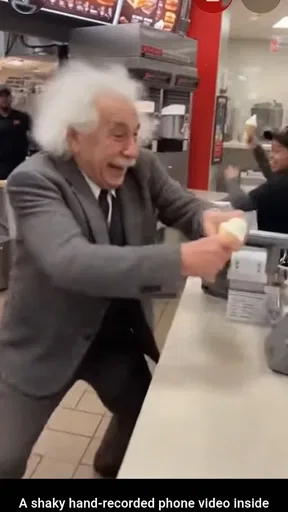
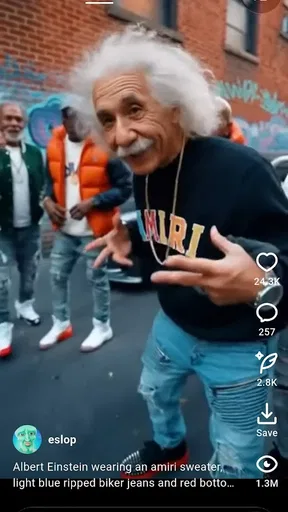
Soar AI: Video Generator can be used for a variety of short-form visual projects, including social media clips, animated concepts, product presentations, promotional material, storytelling experiments, and image-to-video creations. The final result depends on the prompt, source image, selected style, and the app’s current AI capabilities. Users should review generated content carefully because motion, text, faces, objects, and visual details may not always appear exactly as requested.
Are videos created with Soar AI: Video Generator suitable for commercial use?
Commercial use depends on the app’s current licensing terms, the selected generation method, and any third-party assets included in the project. Before using a generated video in advertising, client work, or monetized content, users should read Soar AI’s terms of service and confirm ownership and usage rights. It is also important to avoid copyrighted images, logos, music, characters, or recognizable people unless the necessary permissions have been obtained.
